10 Best Handwriting to Text Apps & Converters Reviewed [2025]
Digitizing handwritten notes used to be a tedious manual task. Today, finding a reliable handwriting to text app can save students, researchers, and professionals hundreds of hours. Whether you need to convert handwriting to text from meeting minutes, lecture notes, or complex math equations, AI-powered OCR tools have evolved significantly.
In this guide, we review the top tools available in 2025, focusing on accuracy, features (like Math/LaTeX support), and price. We'll help you find the best online free converter or professional software for your needs.
Why is Handwriting OCR So Difficult?
Unlike printed text, handwriting varies wildly in style, slant, and legibility. Cursive writing, in particular, poses a challenge for traditional OCR. The best modern tools use Deep Learning to "read" messy scribbles just like a human would.
Top 10 Handwriting to Text Converters
🏆 #1. HandwritingToTexts (Editor's Choice)
Best for: Students, Researchers, and Professionals needing high accuracy for Cursive, Math, and Tables.
HandwritingToTexts stands out because it doesn't just read text; it understands structure. It is the only tool on this list optimized specifically for converting handwritten math to LaTeX and extracting data from handwritten tables into Excel.
✅ Pros
- 99% Accuracy on cursive & messy notes.
- Math Support: Converts equations directly to LaTeX/MathML.
- Table Recognition: Exports handwritten tables to Excel/CSV.
- Privacy Focused: No training on your data.
- Free Trial: Generous free trial to test accuracy.
❌ Cons
- Web-based primarily (Mobile app coming soon).
Real-world Performance
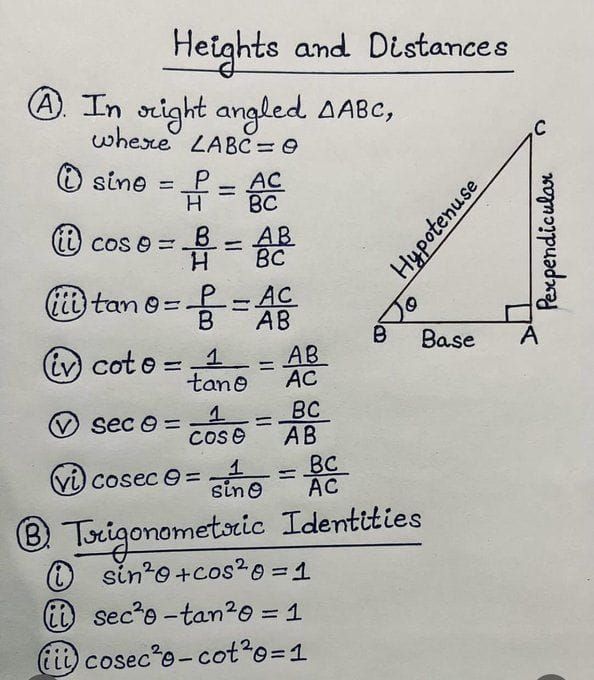
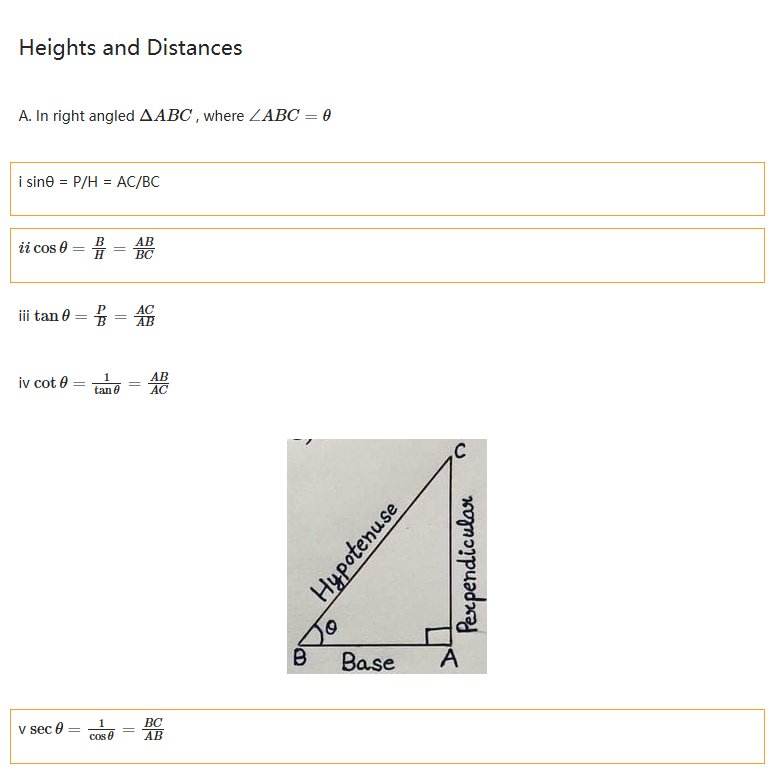
See how it handles a complex handwritten document:
2. Google Lens / Google Keep
Best for: Quick, on-the-go scanning for short notes.
Google's free tools are ubiquitous. You can "Copy text from image" in Google Photos or use Google Keep to grab text. It's a great online free converter for simple tasks.
- Pros: Completely free, integrated into Android.
- Cons: Struggles with complex formatting, tables, and long documents. No export to Word/Excel.
3. Microsoft OneNote
Best for: Microsoft Office users.
OneNote has a built-in "Ink to Text" feature. It's solid if you are already writing on a tablet within the ecosystem.
4. Pen to Print
Best for: Mobile-first users.
A popular mobile app dedicated to handwriting OCR. Good for scanning letters and recipes.
5. GoodNotes 6
Best for: iPad users taking digital notes.
If you write on an iPad, GoodNotes can search your handwriting and convert it. However, it doesn't process uploaded images of paper notes as easily.
Comparison: Which One Should You Choose?
| Feature | HandwritingToTexts | Google Lens | OneNote |
|---|---|---|---|
| Cursive Accuracy | ⭐⭐⭐⭐⭐ | ⭐⭐⭐ | ⭐⭐⭐ |
| Math (LaTeX) | ✅ Yes | ❌ No | ⚠️ Limited |
| Tables to Excel | ✅ Yes | ❌ No | ❌ No |
| Price | Free Trial / Paid | Free | Included in Office |
How to Convert Handwriting to Text Accurately
To get the best results from any handwriting to text app, follow these tips:
- Lighting: Ensure even lighting without shadows when taking a photo.
- Contrast: Write with a dark pen on white paper for maximum contrast.
- Stability: Keep your camera steady to avoid blur.
- Choose the Right Tool: Use a specialized tool like HandwritingToTexts if you have math or tables, as general OCR tools will fail.
Conclusion
For simple, short texts, Google Lens is a handy tool. However, for students and professionals who need to convert lecture notes, research papers, or data tables, HandwritingToTexts offers superior accuracy and features tailored for productivity.
Ready to digitize your notes? Start your free trial today.